

Overview
TheCall Log Details is a Component that displays all the information related to a call. This component displays information like user/group information, participants of the call, recordings of the call (if available) & history of all the previous calls. Also, it has buttons to start a new call.
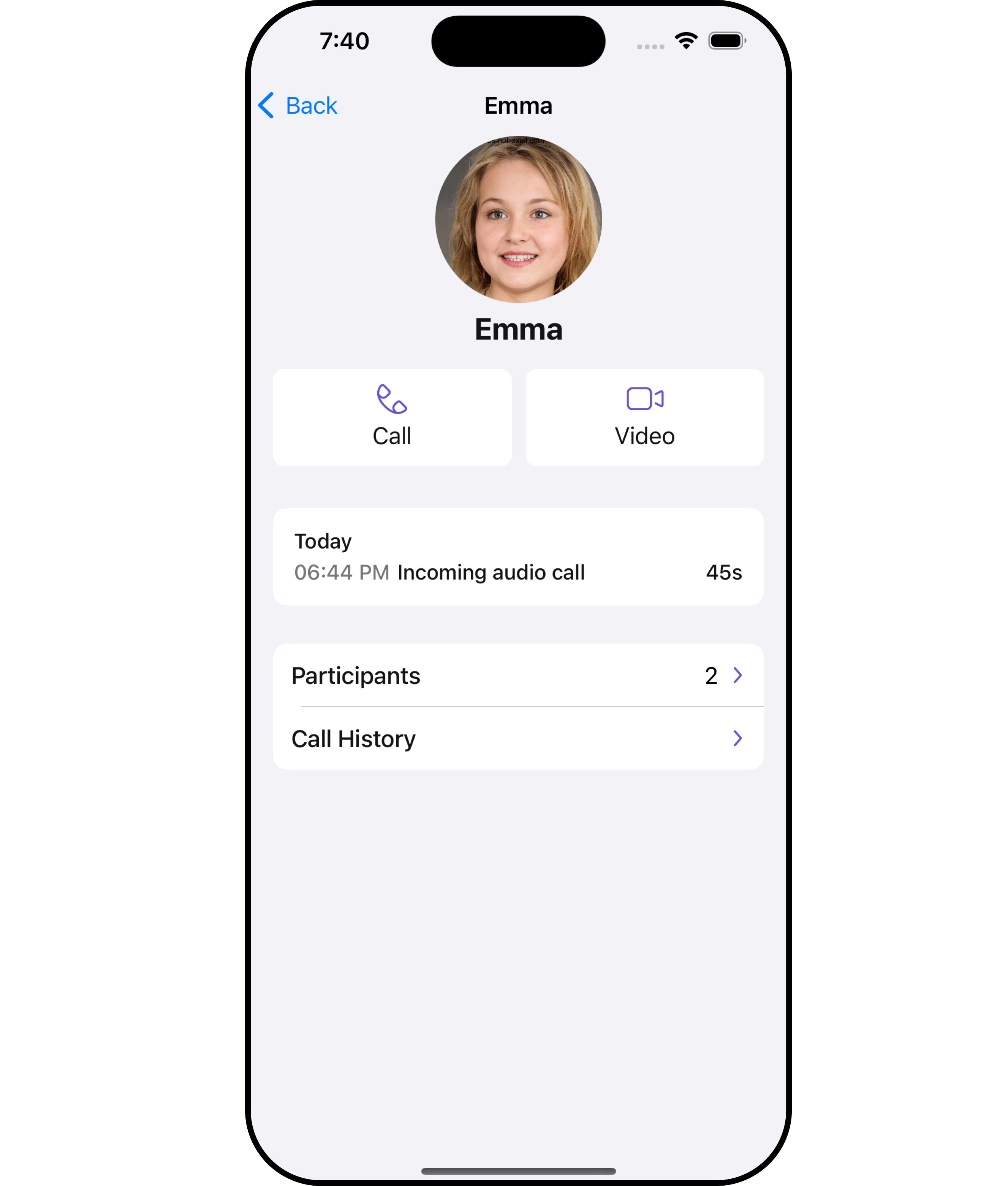
Usage
Integration
CometChatCallLogDetails is a ViewController, it can be seamlessly presented within your application. To display the details of a CallLog, you simply need to pass the corresponding CallLog object to the CometChatCallLogDetails instance using its setCallLog property. This enables you to efficiently showcase specific call log details within your application’s interface.
- Swift
Actions
Actions dictate how a component functions. They are divided into two types: Predefined and User-defined. You can override either type, allowing you to tailor the behavior of the component to fit your specific needs.1. OnCallHistoryClicked
TheonCallHistoryClicked action is typically triggered when a user interacts with the call history section within the call log, executing a predefined action. However, by implementing the provided code snippet, you can effortlessly customize or override this default behavior to meet your specific requirements.
- Swift
2. OnCallRecordingsClicked
TheonCallRecordingsClicked action is typically triggered when a user interacts with the recordings section within the call log, executing a predefined action. However, by implementing the provided code snippet, you can effortlessly customize or override this default behavior to meet your specific requirements.
- Swift
3. OnCallParticipantsClicked
TheonCallParticipantsClicked action is typically triggered when a user interacts with the participants section within the call log, executing a predefined action. However, by implementing the provided code snippet, you can effortlessly customize or override this default behavior to meet your specific requirements.
- Swift
Filters
Filters allow you to customize the data displayed in a list within a Component. You can filter the list based on your specific criteria, allowing for a more customized. Filters can be applied using RequestBuilders of Chat SDK. TheCall Log Details component does not have any exposed filters.
Events
Events are emitted by aComponent. By using event you can extend existing functionality. Being global events, they can be applied in Multiple Locations and are capable of being Added or Removed.
The Call Log Details component does not have any exposed events.
Customization
To fit your app’s design requirements, you can customize the appearance of the conversation component. We provide exposed methods that allow you to modify the experience and behavior according to your specific needs.Style
Using Style you can customize the look and feel of the component in your app, These parameters typically control elements such as the color, size, shape, and fonts used within the component.1. CallLogDetails Style
You can customize the appearance of thecallLogDetails Component by applying the callLogDetailsStyle to it using the following code snippet.
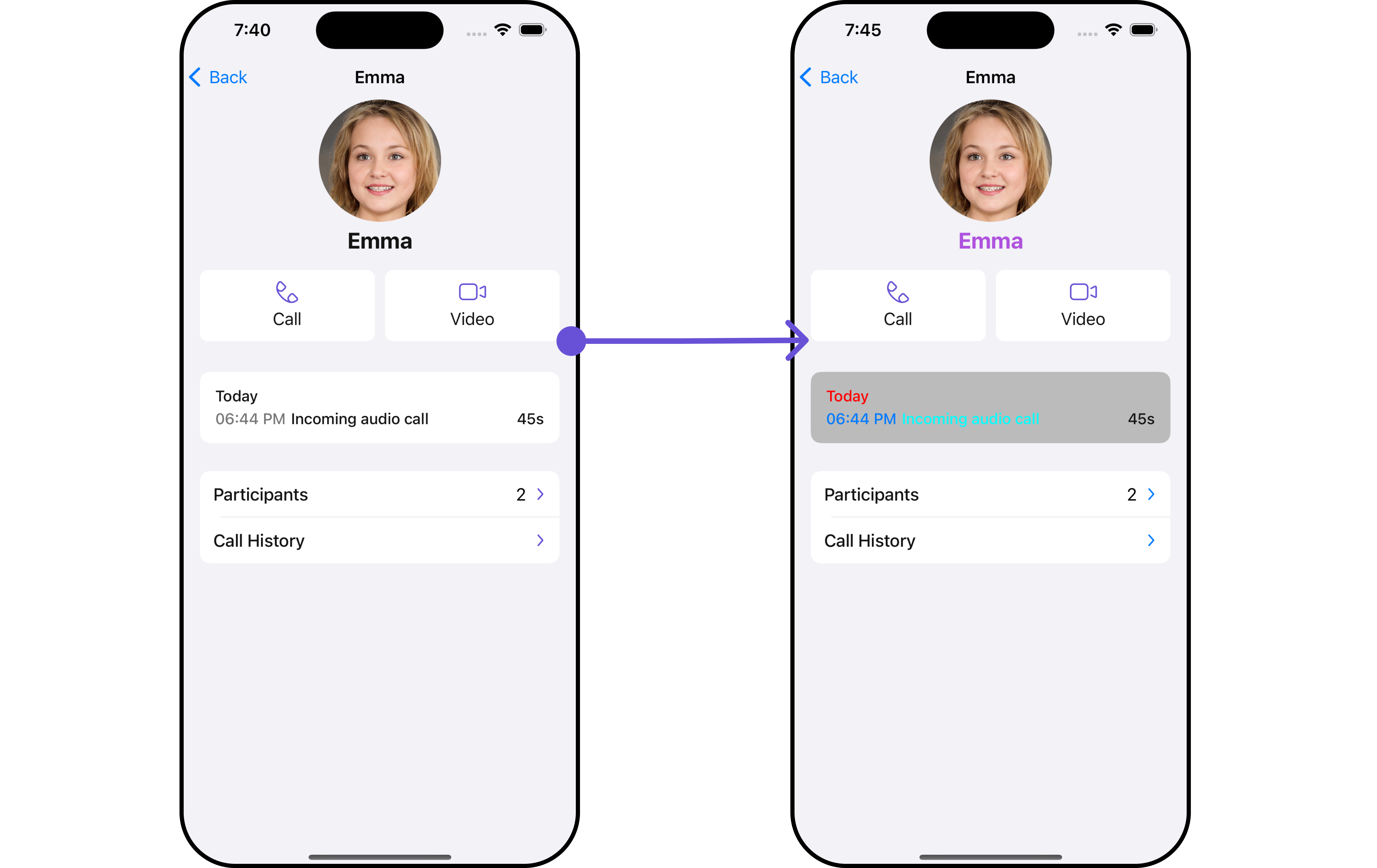
- Swift
2. Avatar Styles
To apply customized styles to theAvatar component in the callLogDetails Component, you can use the following code snippet. For further insights on Avatar Styles refer
- Swift
Swift
3. Button Styles
You can customize the appearance of theCallLogDetails Component by applying the ButtonStyle to it using the following code snippet.
- Swift
Swift
Ensure to pass and present
CometChatCallLogDetails. If a navigation controller is already in use, utilize the pushViewController function instead of directly presenting the view controller.Functionality
These are a set of small functional customizations that allow you to fine-tune the overall experience of the component. With these, you can change text, set custom icons, and toggle the visibility of UI elements.- Swift
Advanced
For advanced-level customization, you can set custom views to the component. This lets you tailor each aspect of the component to fit your exact needs and application aesthetics. You can create and define your views, layouts, and UI elements and then incorporate those into the component.EmptyView report
You can set a custom EmptyView using.set(emptyView: UIView) to match the empty view of your app.
- Swift
Custom_Empty_State_GroupViewa UIView file.
- Swift
Ensure to pass and present
CometChatCallLogDetails. If a navigation controller is already in use, utilize the pushViewController function instead of directly presenting the view controller.ErrorView report
You can set a custom ErrorView using.set(errorView: UIView) to match the error view of your app.
- Swift
Custom_ErrorState_GroupView and pass it inside the .set(errorView: UIView) method.
Custom_ErrorState_GroupView
- Swift
Ensure to pass and present
CometChatCallLogDetails. If a navigation controller is already in use, utilize the pushViewController function instead of directly presenting the view controller.Menus
You can set the Custom Menus to add more options to the CometChatCallLogDetails component.- Swift
- You can customize the menus for CometChatCallLogDetails to meet your requirements
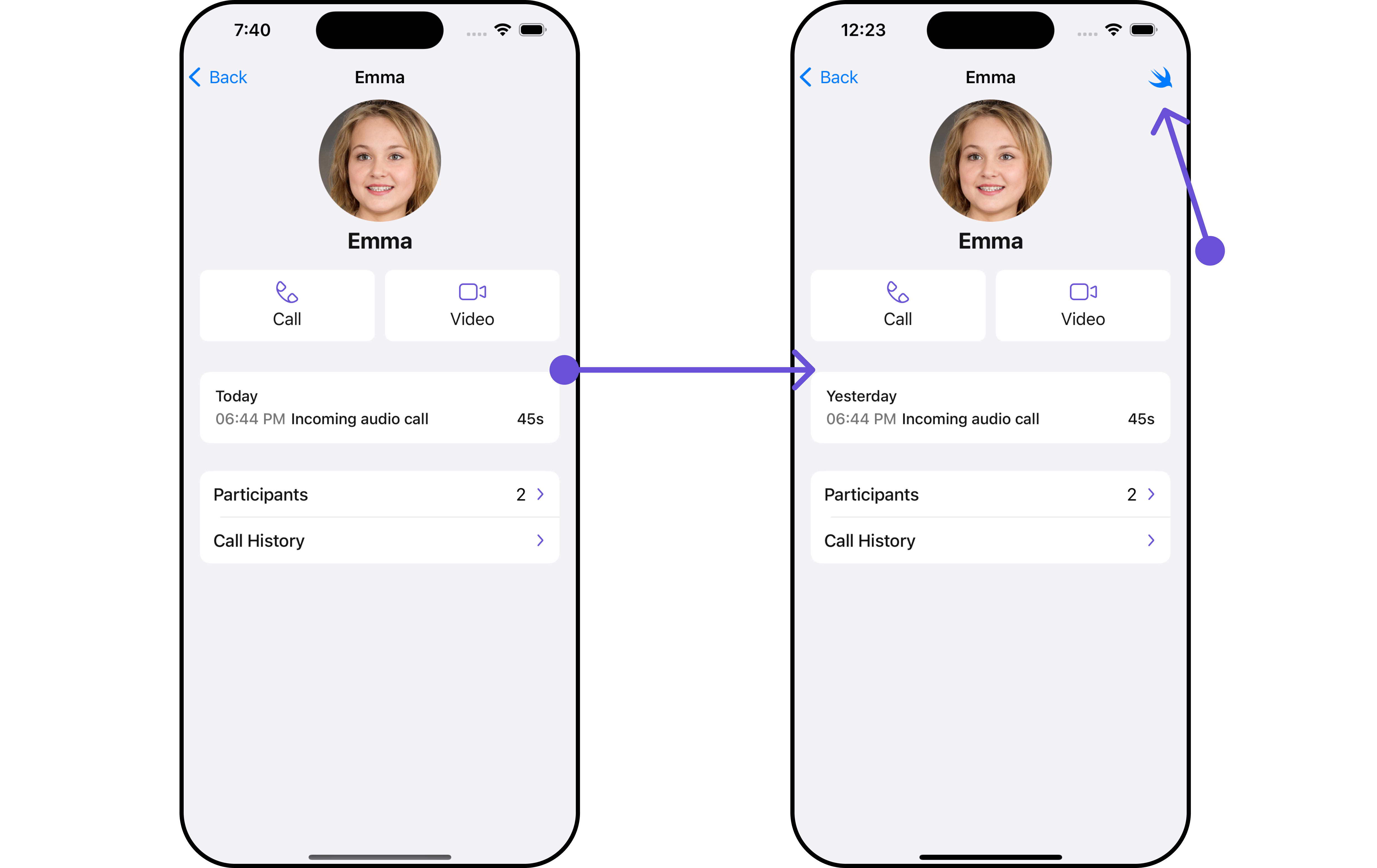
callLogDetails, enhancing its interface with a personalized menu for a more user-friendly experience.
- Swift
Ensure to pass and present
CometChatCallLogDetails. If a navigation controller is already in use, utilize the pushViewController function instead of directly presenting the view controller.Options
Enhance your CallLogDetails component by setting Custom Options to incorporate additional functionalities when swiping- Swift
- You can customize the options for CallLogDetails to meet your requirements
CometChatCallLogDetails by incorporating a unique feature. By implementing a custom option, labeled “Custom Option,” users can access additional functionalities tailored to their needs. Additionally, a custom template, named “Custom Template,” enhances the visual presentation of call log details.
This customization allows for a more engaging and user-friendly experience within the application.
- Swift
Ensure to pass and present
CometChatCallLogDetails. If a navigation controller is already in use, utilize the pushViewController function instead of directly presenting the view controller.